How to Manage your Change Orders?
Learn how to quickly find and review change orders using the search field or Piper, our AI agent. Use Piper to narrow down results based on your specific needs and easily open the change order you need to review.
Written By Susy Lozoya
Last updated 3 days ago
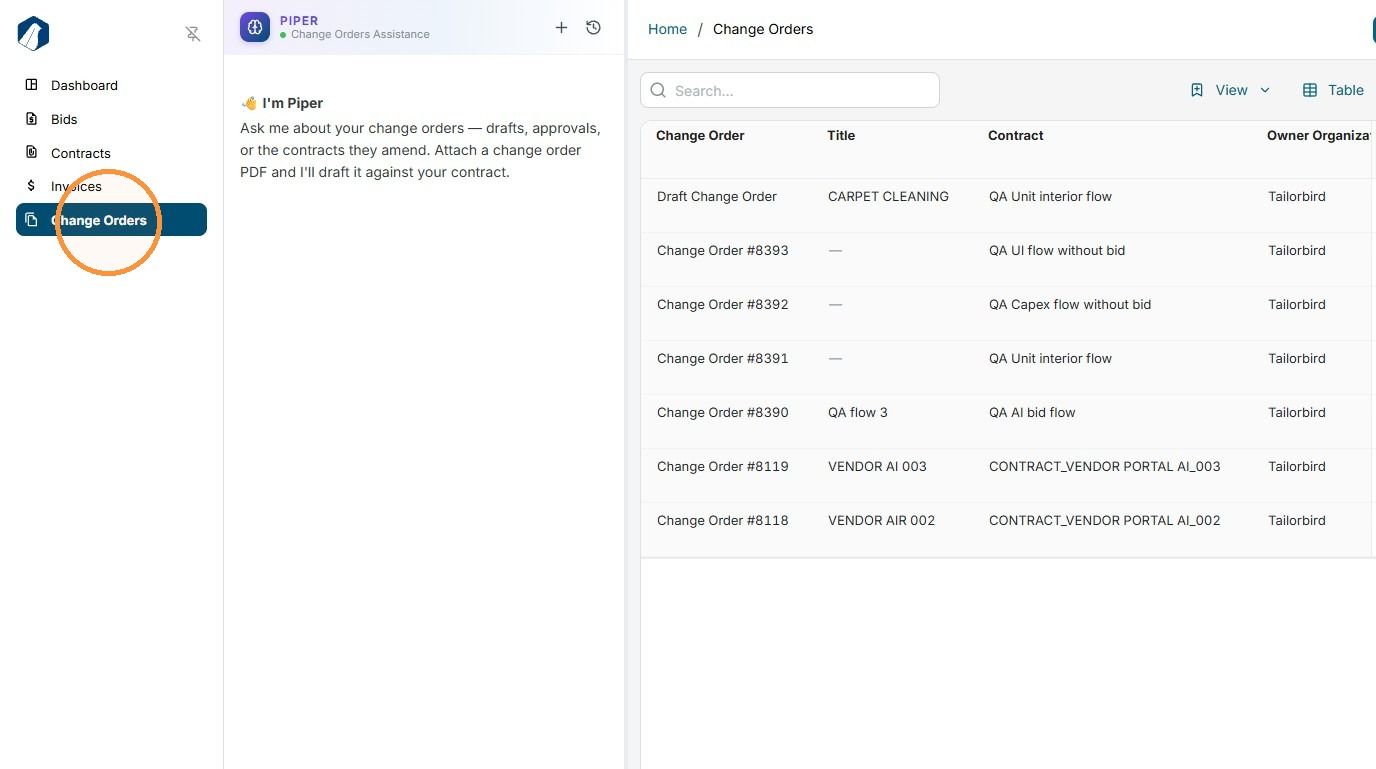
1. Click on the Change Orders module to start reviewing existing change orders.
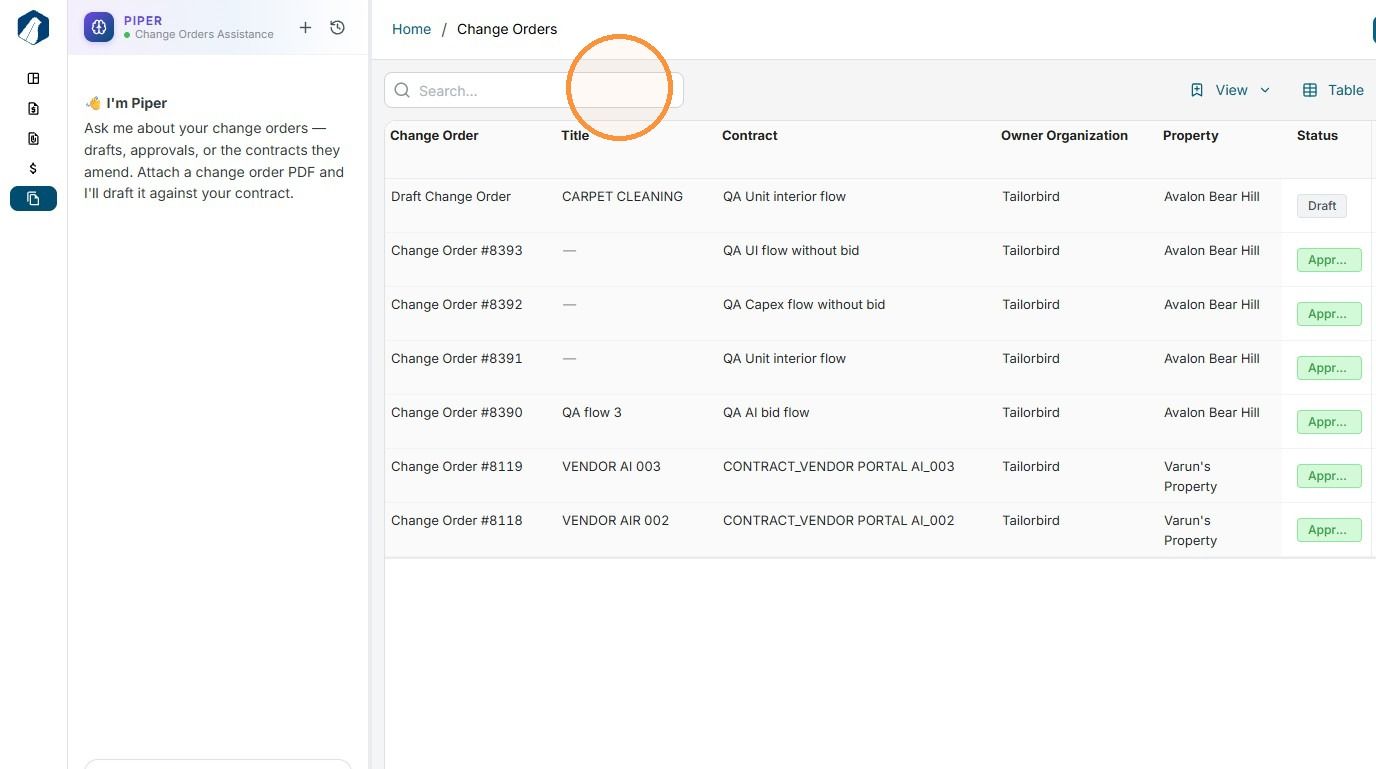
2. Use the search field to quickly find the change order you need to review.
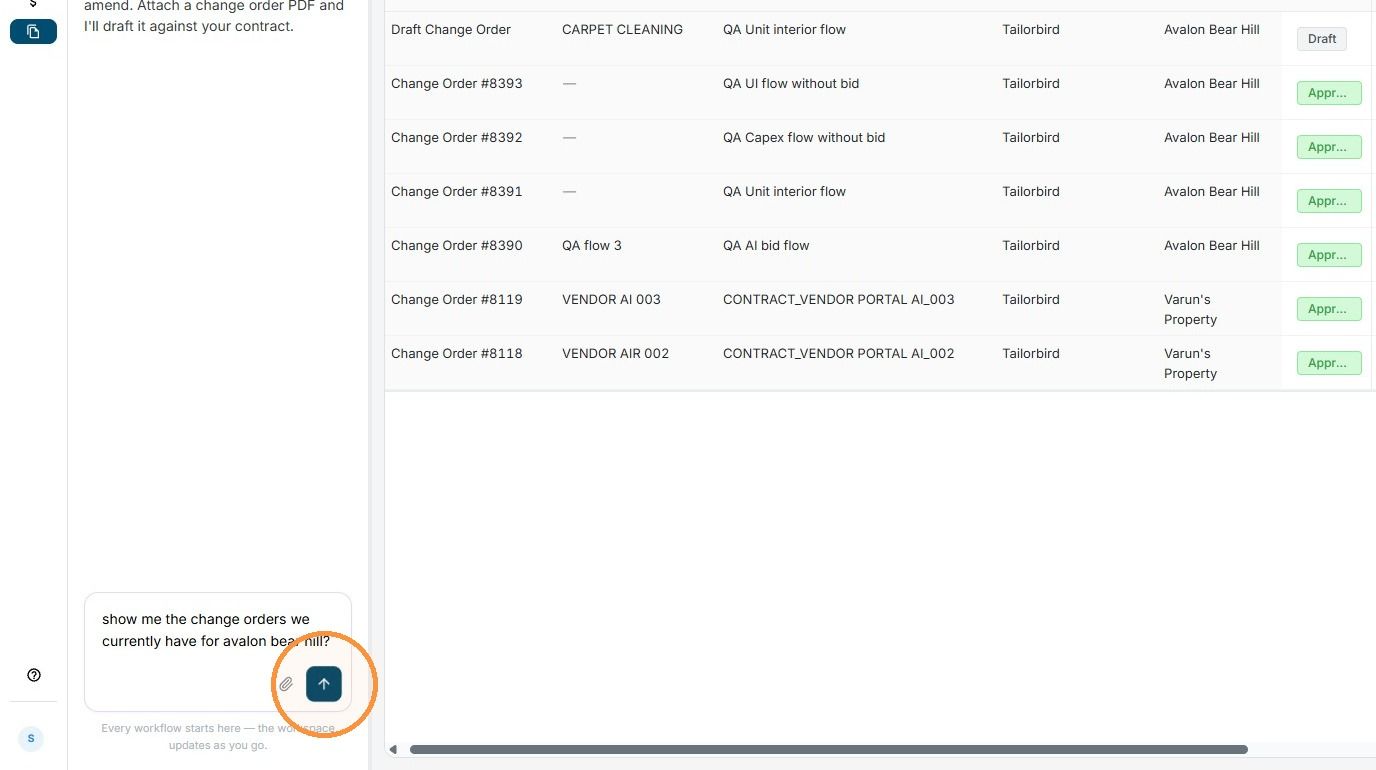
3. You can also use our AI agent, Piper, to narrow down your search based on your specific needs and quickly find the change order you’re looking for.
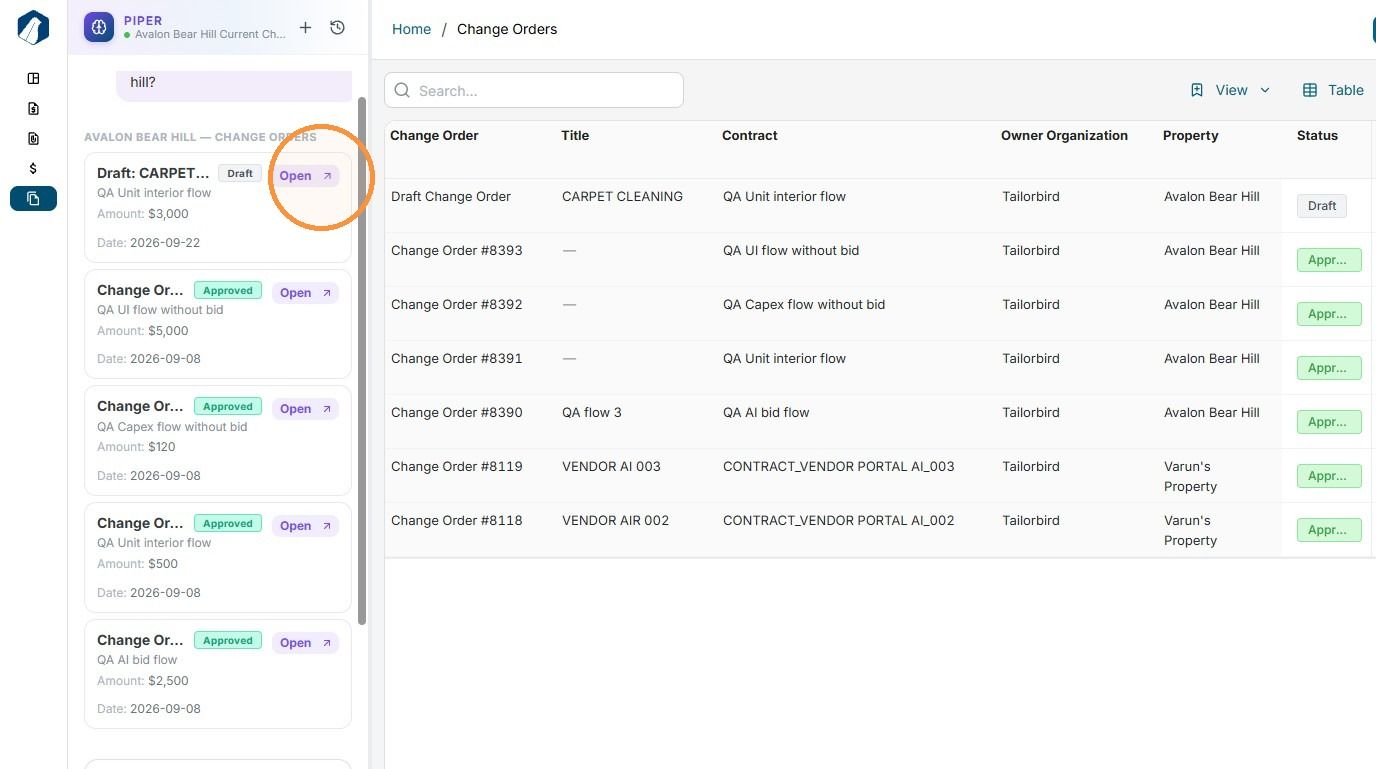
4. Piper will search and pull up the change orders that match your request. To open a change order and review its details, simply click Open.
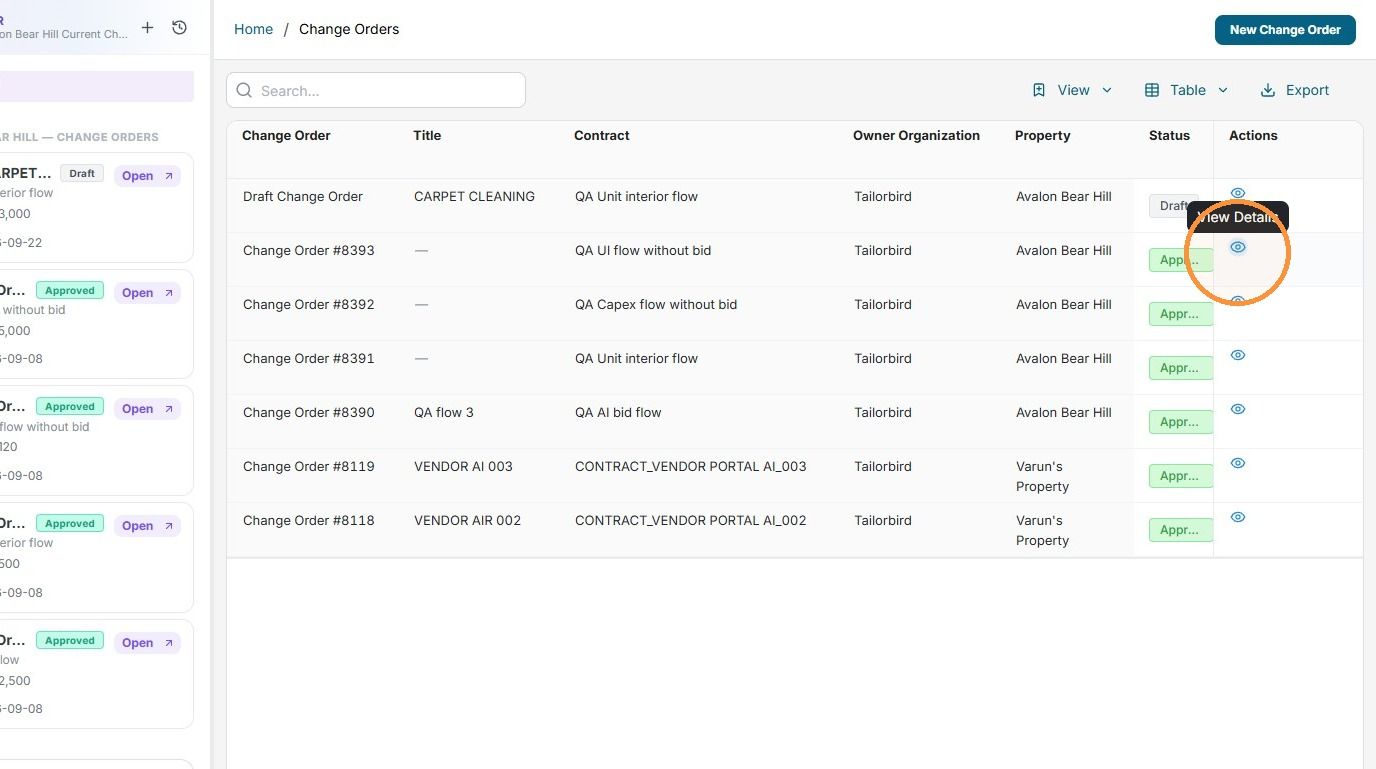
5. You can also click the View Details icon on the right side to open and review a specific change order.
Still need help? Ask the team